Free PNG To PDF Converter
Easily convert your PNG images to high-quality PDFs for free, without any downloads or installations. Enjoy fast, hassle-free conversions with our simple and secure online tool.

Popular Conversions
Here we collected the most common file conversions
- JPG to PNG
- JPG to WebP
- JPG to PDF
- PNG to JPG
- PNG to WebP
- PNG to PDF
- WebP to JPG
- WebP to PNG
- WebP to PDF
- PDF to JPG
- PDF to PNG
- PDF to WebP
Perks Of Pixlr PNG To PDF Converter

Easy-To-Use
Convert PNG images to PDFs with just a few clicks using an intuitive interface

Cloud-Based Tool
Use the converter on any device without downloading or installing software

No Watermarks
Get clean, professional PDFs without added watermarks for a polished look.
How To Convert PNG To PDF Online
Step 1
Upload Your Photo
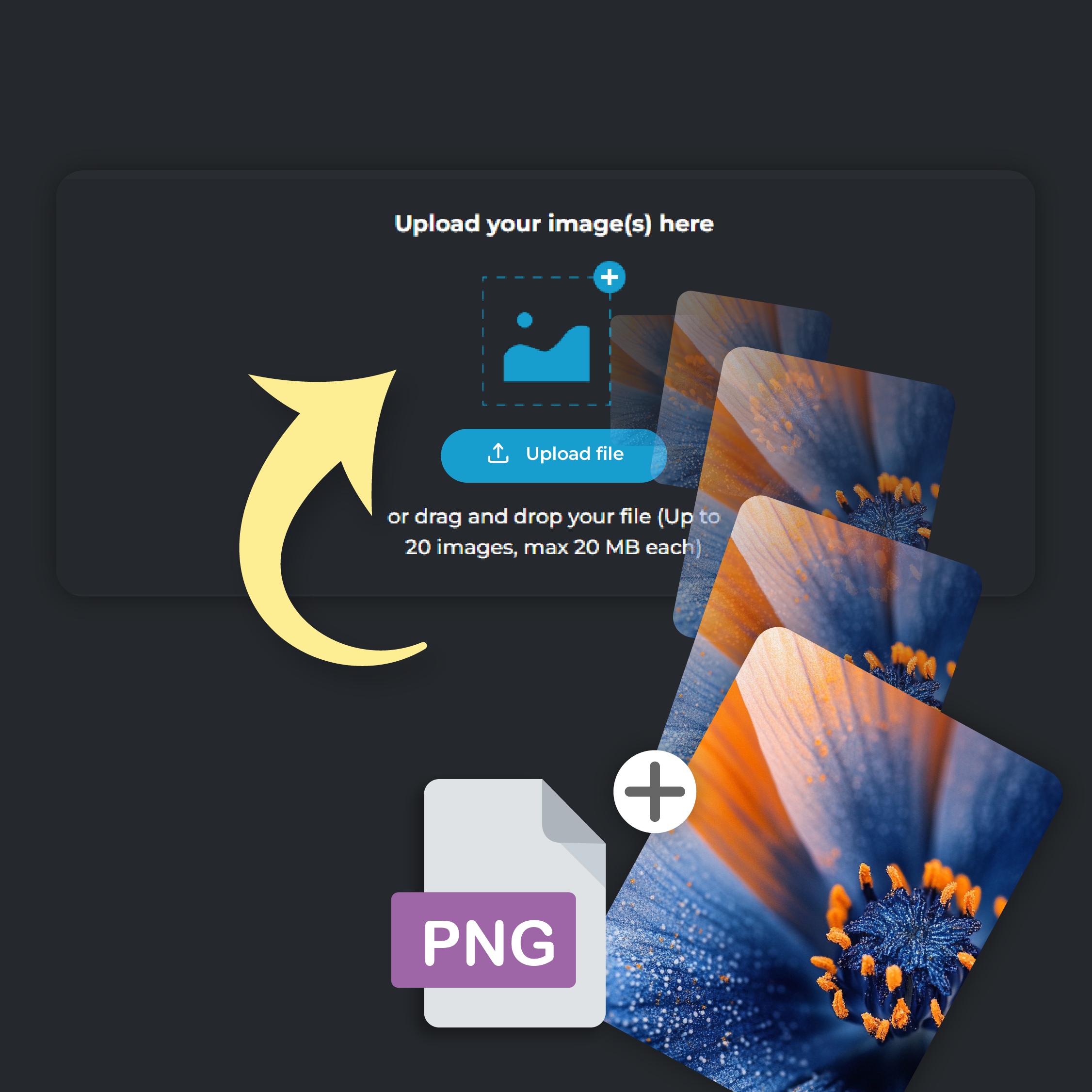
Click on the ‘Add File’ button to upload your PNG image. You can upload up to 20 files at a time, each file size capped at 20 MB
Step 2
Select PDF Output
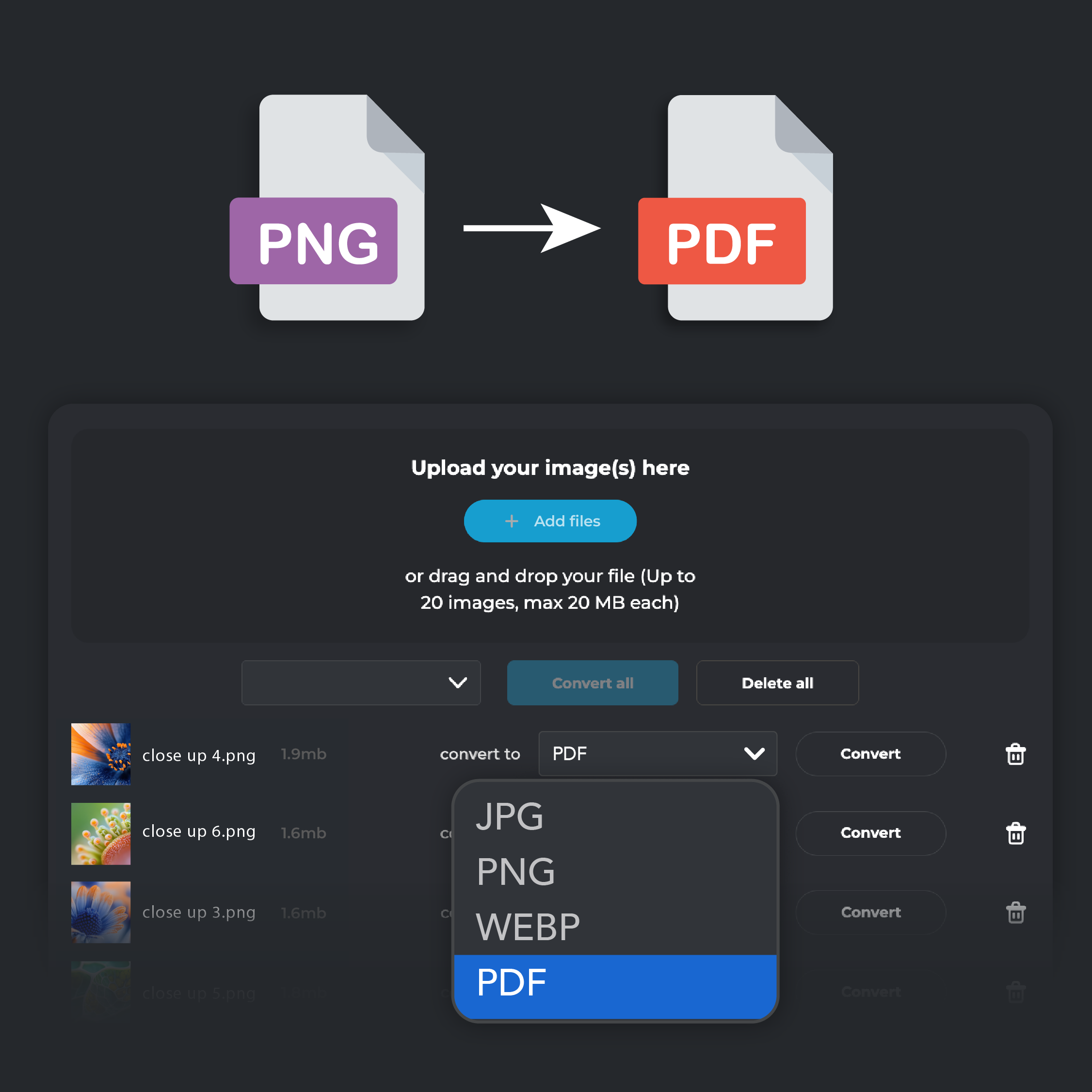
From the ‘Convert To’ drop-down menu, select PDF as the format you want to convert your image to
Step 3
Convert and Download
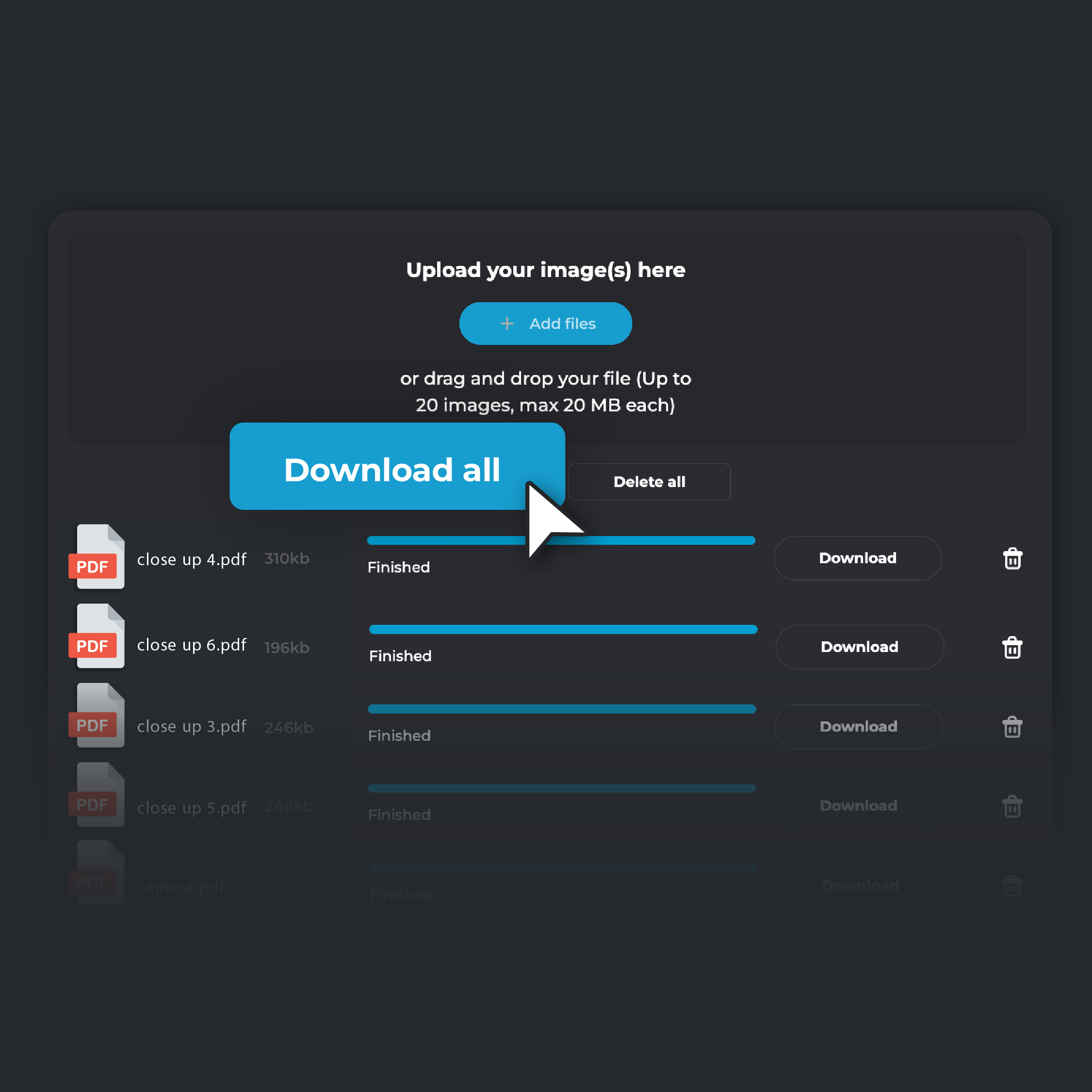
Click on the ‘Convert’ button. After the conversion is complete, click ‘Download’ to save the PDF to your device. If you are converting multiple files, click on ‘Download all’. Your converted files will be automatically zipped in a single folder and stored on your device
Store, Share, And Present Your Visual Content With Ease
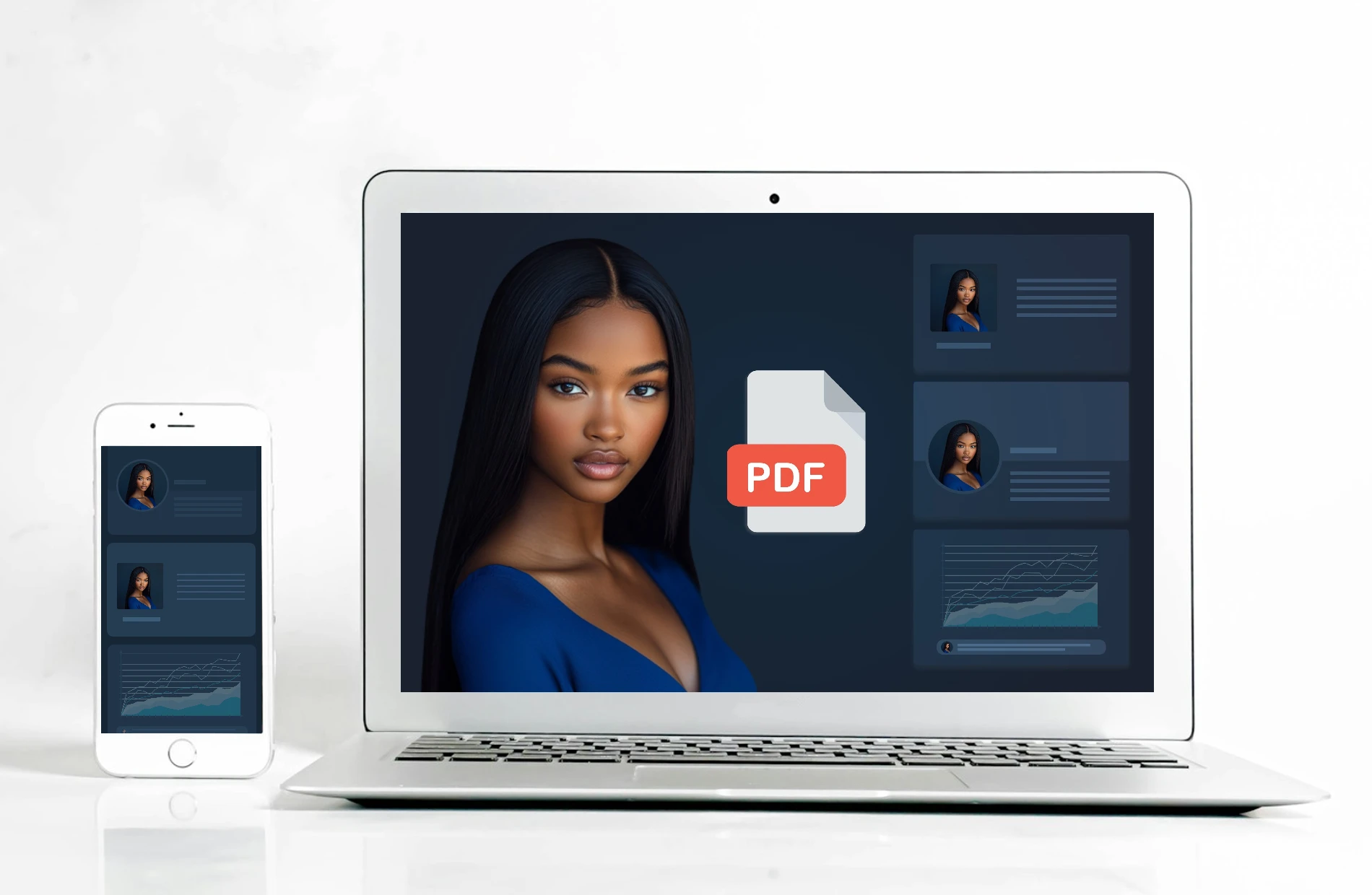
Convert your PNG images into individual PDF files to make viewing, sharing, and storing files across different devices and platforms easier. Each PNG becomes a separate PDF, perfect for presentations, portfolios, or reports. Converting your images to PDFs preserves their layout, making it easier to display, store, and share your visual content. This helps you keep your content structured without being cluttered, ensuring a clean and professional presentation
Reduce File Size Without Losing The Image Quality
Converting PNG images to PDFs helps reduce file sizes without losing image quality. Large PNG files can be difficult to share or store, but converting them to PDFs compresses the size while keeping the details clear. This is especially helpful for high-resolution images that need to be shared quickly. With PDFs, you can also save space on your device or cloud storage by reducing file sizes
Secure Your Images With Advanced Encryption
Protect your sensitive images by converting them into secure PDFs. PDF files offer encryption and password protection, making sure that only authorized people can access your content. This is important for professionals handling confidential images, such as legal documents or private portfolios. Converting to PDF ensures that your images are protected from unauthorized access and stay confidential.
Preserve Image Details While Printing
Convert your PNG images to PDFs to maintain their quality when printing. PDF conversion preserves the sharpness, colors, and details of your images, making it the ideal format for achieving high-quality prints in professional printing services. Whether you’re creating marketing materials, promotional banners, or artistic posters, converting your artwork to PDFs ensures that your printed visuals look just as good as they do on screen.
Do you have a Question?
What's the difference between PNG and PDF?
PNG is an image format used for high-quality visuals and supports transparency. PDF is a document format that can include text, images, and links, and it maintains consistent formatting across devices. PDFs also support multi-page documents, while PNGs do not.
Are there any file size limits for conversion?
Yes, there is a file size limit when using PIXLR’s JPG to PDF converter. Each file can be up to 20MB, and you can convert up to 20 images at once.
Will the converted PDF maintain the original image quality?
Yes, PIXLR ensures that your converted PDFs retain the original quality of your PNG images. The details, colors, and sharpness will be preserved in the final PDF output.
Is the PNG to PDF converter free?
Yes, PIXLR offers completely free PNG to PDF conversion. You can convert as many files as you want without any costs or hidden fees
Can I use PIXLR's PNG to PDF converter on any device?
Yes, PIXLR’s converter is accessible on any device with a browser, including desktops, tablets, and smartphones
Is my data secure when using PIXLR’s JPG to PDF converter?
Yes, your data is secure. PIXLR uses secure connections to handle your files. After conversion, your files are not stored on the server. For more details, check PIXLR’s Privacy Policy